Short answer: a WIR register (and an MIR register) is a log of every inspection request with its number, revision, location, activity, dates, consultant's status and remarks. Excel works well for small projects with one person updating it. Once several engineers raise inspections every day, Excel registers start to break: duplicate numbers, several versions of the file, manual status updates and slow reports. That is the point where register software that numbers documents and updates the register automatically pays for itself.
The columns every WIR and MIR register needs
| Column | WIR register | MIR register |
|---|---|---|
| Number and revision | PRJ-WIR-B2-0147 Rev 00 | PRJ-MIR-B1-0032 Rev 00 |
| Discipline | Civil, architectural, MEP… | Same |
| Location | Building, level, area / rooms | Storage location |
| Description | Activity, e.g. "Rebar for slab" | Material, quantity, unit |
| References | Drawing, ITP step, method statement | Approved MAR number, delivery note |
| Prepared by | Engineer name | Engineer name |
| Submitted / inspection date | Yes | Yes |
| Internal QC status | Checked / not checked | Checked / not checked |
| Consultant status | A / B / C / D, or approved / rejected | Same |
| Returned date | Yes | Yes |
| Remarks / comments | Consultant's comments, follow-up | Same |
| Link to the file | Signed PDF | Signed PDF |
New to these documents? Read what a WIR is, what an MIR is, and the approval codes.
Setting up a good register in Excel
If you are using Excel, these habits make a big difference:
- One sheet per document type (WIR, MIR, MAR, NCR), with exactly the same column order on every project.
- Format as a Table (Ctrl + T) so filters and new rows work automatically.
- Drop-down lists (Data Validation) for discipline, building, level and status, so everyone types the same values.
- Conditional formatting: red for Code C / D, amber for "under review" longer than the review period.
- A summary sheet with COUNTIFS per status and discipline, for the weekly report.
- One owner: only the document controller edits the master file; others send updates.
- Store it in one shared place (SharePoint, OneDrive or Google Drive) instead of emailing copies.
Numbering tip: never let engineers "take the next number" by looking at the register themselves. Two people will take the same number on a busy morning. Ask the document controller, or use a system that issues numbers.
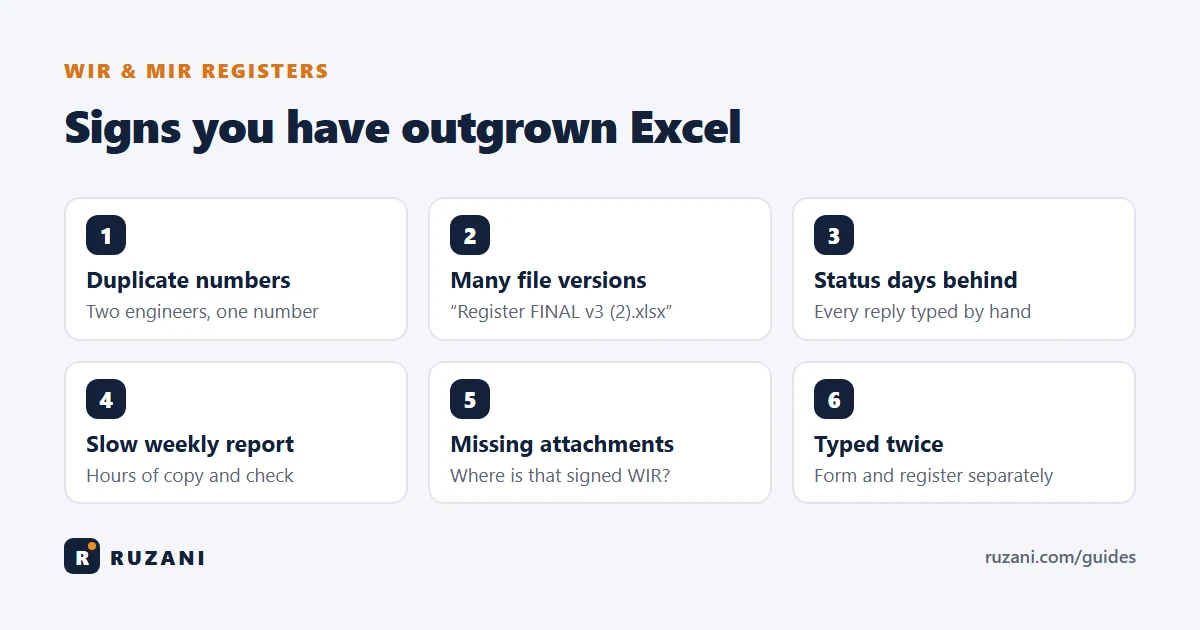
7 signs you have outgrown Excel
- Duplicate or skipped numbers keep appearing.
- Several versions of the register exist ("WIR register FINAL v3 (2).xlsx").
- Status is days behind because someone must type in every consultant response by hand.
- The weekly report takes hours of copying and checking.
- Engineers fill the same information twice: once on the WIR form, again in the register.
- Attachments go missing: nobody can find the signed WIR or the ITP page for an inspection from three months ago.
- Management asks questions you cannot answer quickly: "How many WIRs were rejected this month on Building B?"
If three or more of these sound familiar, the register is costing your team more time than the inspections themselves.
Excel vs software: side by side
| Excel register | Register software | |
|---|---|---|
| Cost | Already have it | Licence cost |
| Set-up | Minutes | Hours to a few days |
| Numbering | Manual, duplicates possible | Automatic, unique |
| Filling the form | Separate Word / Excel form, typed again | Form filled once, register updated automatically |
| Several users at once | Conflicts and copies | Built for teams |
| Attachments | Folders, links break | Kept with the document |
| Reports and charts | Manual | Instant |
| Best for | Small projects, one person | Several engineers, many inspections per day |
What to look for in register software
- Uses your consultant's own forms, so you don't have to change what the consultant expects.
- Automatic numbering that follows your project's numbering system.
- Attachments built in: drawings, the right ITP page, test reports, MAR references.
- Internal QC review before a document goes to the consultant.
- Status tracking with A / B / C / D codes and an Excel export for meetings.
- Simple enough for site engineers, not only for the document controller.
- Fits with Aconex or email: the final PDF can still be submitted the usual way.
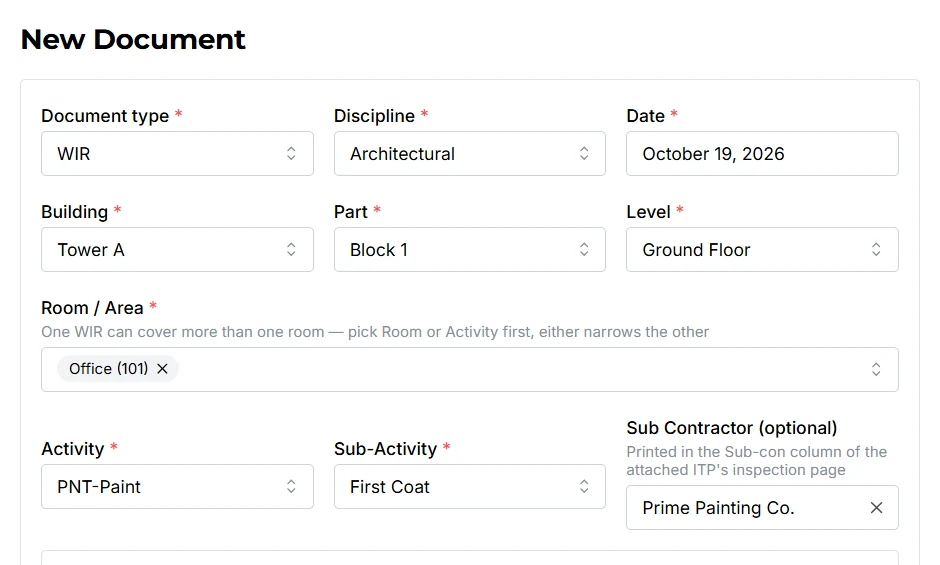
This is exactly why we built ADoc Flow. It fills the consultant's own WIR, MAR and MIR forms, gives each one the next number, highlights the location on the drawing, attaches the ITP page, and keeps every register up to date by itself, with a dashboard and Excel export for management. You can try it online in your browser without installing anything, or watch a 4½-minute video first.
For the bigger picture, see QA/QC documents in construction and the document controller's role.
FAQ
What is a WIR register?
A log of every Work Inspection Request on a project, with its number, location, activity, dates, consultant status and remarks. It shows the status of all inspections at a glance.
What columns should a WIR register have?
At least: WIR number and revision, discipline, location, activity, drawing and ITP references, prepared by, submission and inspection dates, consultant status code, returned date, and remarks.
Is Excel good enough for a WIR register?
For small projects with one person updating it, yes. With several engineers and many inspections per day, Excel leads to duplicate numbers, multiple file versions and late status updates.
Can register software work with Aconex?
Yes. Tools like ADoc Flow prepare and track the documents inside the contractor's team; the final PDFs can still be submitted to the consultant through Aconex or email as usual.